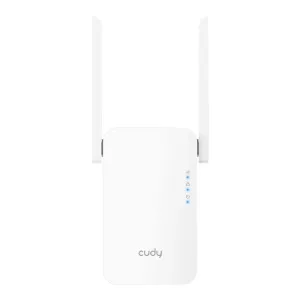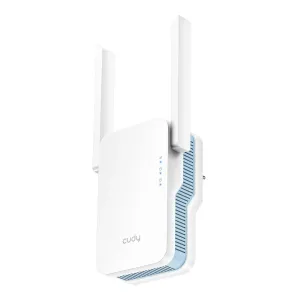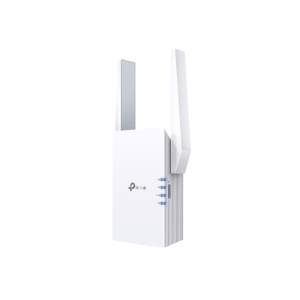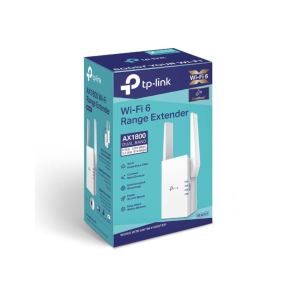
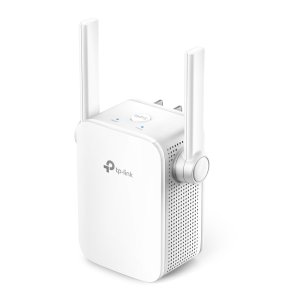
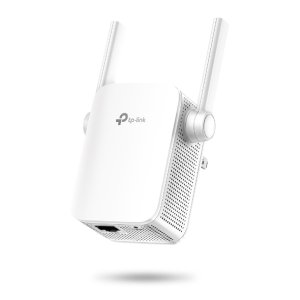
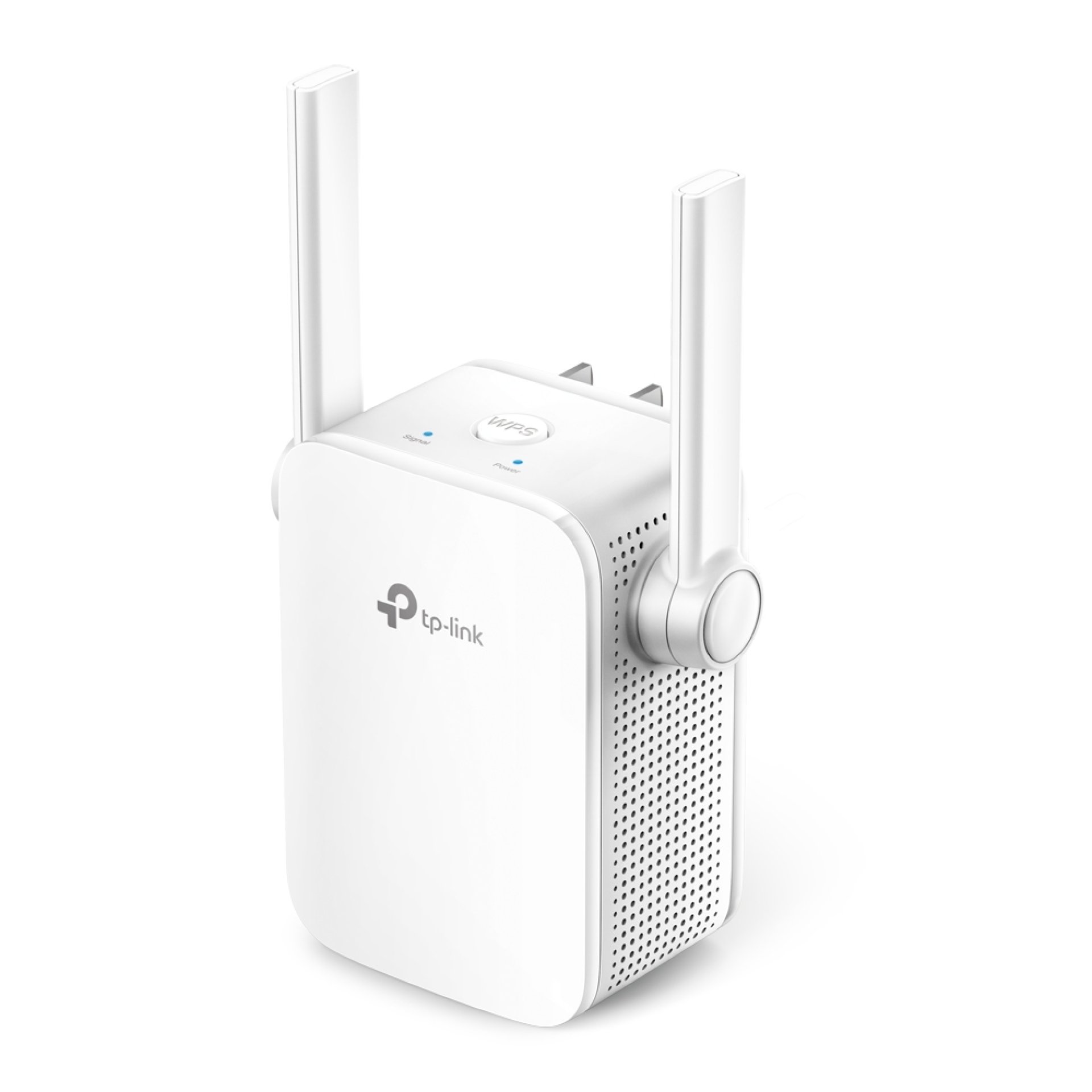
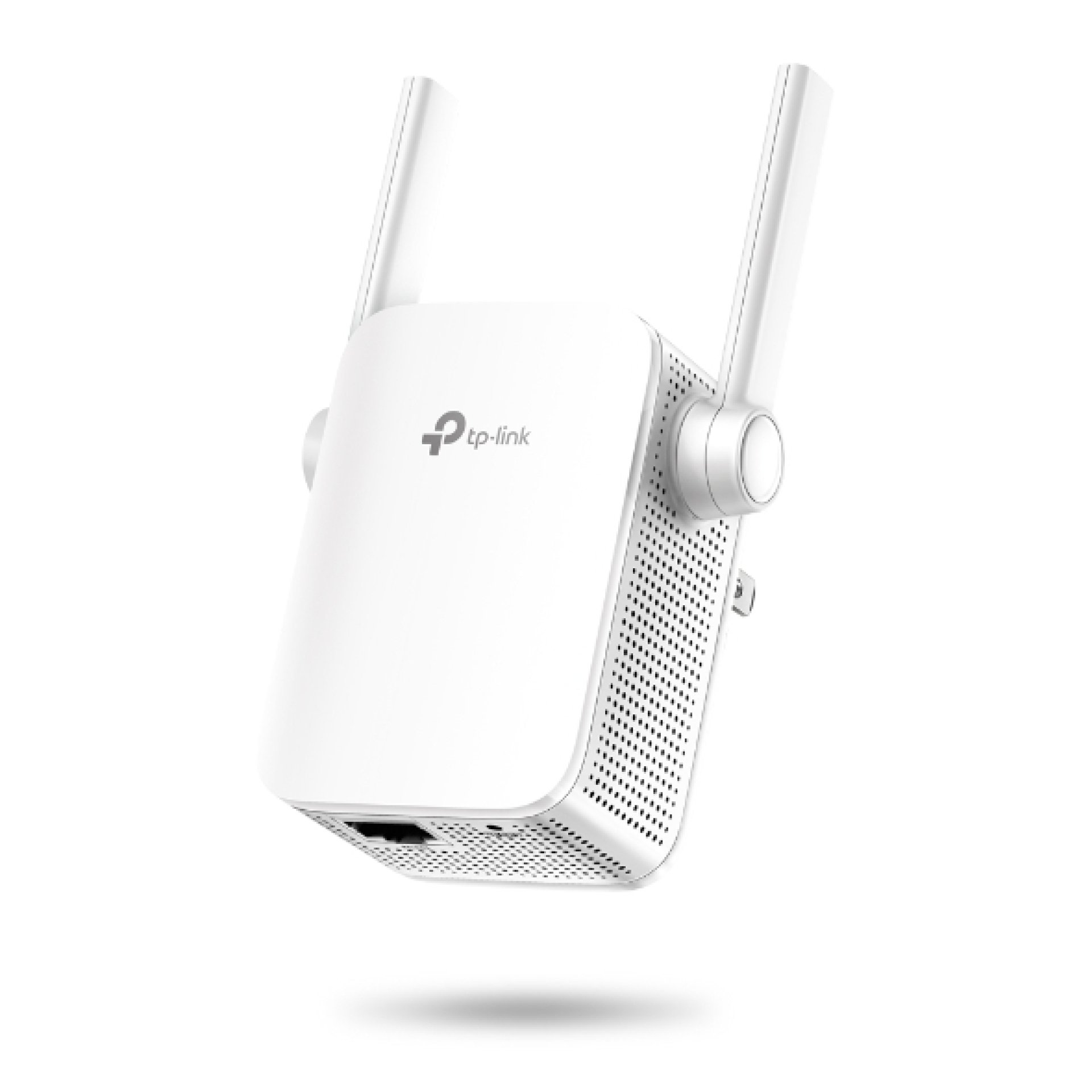
Key Features of TP-Link 300Mbps Wi-Fi Range Extender TL-WA855RE
-
Wireless Speed: Up to 300Mbps
-
Wi-Fi Standard: IEEE 802.11b/g/n
-
Frequency Band: 2.4GHz
-
Antennas: 2 external antennas
-
Operating Modes: Range Extender and Access Point
-
Ethernet Port: 1 × 10/100Mbps RJ45
-
Wireless Security: WPA/WPA2 and supported WEP modes
-
Setup: WPS button and web-based configuration
-
Management: TP-Link Tether app support
-
Power Consumption: Approximately 3.6W
-
Model: TL-WA855RE
Overview of TP-Link 300Mbps Wi-Fi Range Extender TL-WA855RE
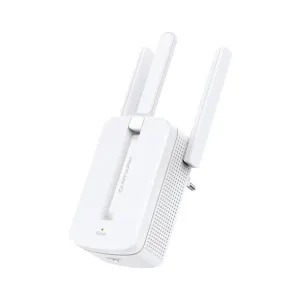
The TP-Link TL-WA855RE is a compact Wi-Fi range extender designed to improve wireless coverage in areas where a router's signal is weak. It repeats an existing 2.4GHz Wi-Fi signal to help extend connectivity to rooms, hallways and other areas that may experience poor reception. With wireless speeds of up to 300Mbps, it is suitable for everyday activities such as browsing, messaging, online learning and general internet use.
Featuring two external antennas, the TL-WA855RE helps distribute the extended wireless signal throughout your home or small office. Its Range Extender and Access Point modes offer flexibility for different network setups, while the Ethernet port supports a wired connection to compatible devices or an existing network. The WPS button simplifies setup with compatible routers, and TP-Link Tether support allows convenient management from a compatible mobile device.
Price of TP-Link 300Mbps Wi-Fi Range Extender TL-WA855RE in Kenya
|
Price Range |
|---|
|
KSh 2,800–3,200 |
Specifications of TP-Link 300Mbps Wi-Fi Range Extender TL-WA855RE
|
Specification |
Details |
|---|---|
|
Brand |
TP-Link |
|
Model |
TL-WA855RE |
|
Product Type |
Wi-Fi Range Extender |
|
Wireless Standard |
IEEE 802.11b/g/n |
|
Maximum Wireless Speed |
Up to 300Mbps |
|
Frequency Band |
2.4GHz |
|
Antennas |
2 external antennas |
|
Operating Modes |
Range Extender, Access Point |
|
Ethernet Interface |
1 × 10/100Mbps RJ45 |
|
Wireless Security |
WPA/WPA2-PSK and supported WEP modes |
|
Setup Buttons |
WPS/Range Extender and Reset |
|
Management |
Web interface and TP-Link Tether app support |
|
Input Power |
100–240V AC, 50/60Hz |
|
Maximum Power Consumption |
Approximately 3.6W |
|
Dimensions |
Approximately 80 × 77.8 × 77.3mm |
|
Wireless Functions |
Power schedule, LED control and supported access controls |
Wireless Coverage Features of TP-Link 300Mbps Wi-Fi Range Extender TL-WA855RE
-
Extended Wi-Fi Coverage: The extender receives an existing wireless signal and rebroadcasts it to help improve connectivity in areas where the main router's signal is weak. Placement is important: positioning it where the original signal is still reasonably strong helps provide better coverage.
-
300Mbps Wireless Performance: With theoretical wireless speeds of up to 300Mbps on the 2.4GHz band, the TL-WA855RE supports everyday browsing, messaging, online learning and other routine internet activities.
-
Two External Antennas: The external antennas help distribute the wireless signal and improve reception in suitable environments. Actual performance depends on walls, interference, distance from the router and the capabilities of connected devices.
-
2.4GHz Compatibility: The single-band design supports many existing Wi-Fi devices and can provide useful coverage through walls, making it suitable for common home and small-office networking needs.
Connectivity and Setup Features of TP-Link 300Mbps Wi-Fi Range Extender TL-WA855RE
-
WPS Setup: The WPS button allows the extender to connect to a compatible router through a simplified pairing process, reducing the need to enter wireless settings manually.
-
Access Point Mode: When connected to a router through Ethernet, the device can operate as an access point to provide Wi-Fi coverage from a wired network connection.
-
Ethernet Connectivity: The 10/100Mbps RJ45 port provides a wired network connection for compatible devices or network setups, offering flexibility beyond wireless connectivity.
-
TP-Link Tether Management: Supported Tether app functionality lets users manage the extender from a compatible smartphone, including checking its status and adjusting supported settings.
-
Flexible Installation: Its compact wall-plug design makes it convenient to install in a suitable electrical outlet between the router and the area requiring better Wi-Fi coverage.
Security and Practical Use Features of TP-Link 300Mbps Wi-Fi Range Extender TL-WA855RE
-
Wireless Encryption: Supported WPA and WPA2 security options help protect the extended network from unauthorised access. Choose the strongest compatible security option available for your network.
-
Power Scheduling: Supported firmware versions offer a power schedule to control when the extender operates, helping users manage usage according to their routines.
-
LED Control: The LED control feature on supported versions allows users to manage indicator lights, which can be helpful when the device is installed in a bedroom or other light-sensitive area.
-
Broad Router Compatibility: The TL-WA855RE can work with many standard Wi-Fi routers that use compatible wireless settings, allowing users to extend an existing network without replacing their main router.
-
Suitable for Everyday Networking: The extender is useful for improving basic Wi-Fi access in bedrooms, studies and small offices, although it is not designed for high-speed multi-gigabit networking or dual-band Wi-Fi performance.
Pros and Cons of TP-Link 300Mbps Wi-Fi Range Extender TL-WA855RE
|
Pros |
Cons |
|---|---|
|
Helps extend an existing Wi-Fi network |
Supports only the 2.4GHz band |
|
Up to 300Mbps theoretical wireless speed |
Actual speeds can be lower than the advertised maximum |
|
Two external antennas |
Coverage depends on placement and environmental conditions |
|
Range Extender and Access Point modes |
Ethernet port is limited to 100Mbps |
|
WPS setup for compatible routers |
WPS is not available on every router |
|
Compact wall-plug design |
Requires a suitable electrical outlet |
|
Low power consumption |
Not intended for high-performance Wi-Fi 6 or Wi-Fi 7 networks |
|
Tether app support on compatible versions |
App features can vary by hardware revision and firmware |
FAQs About TP-Link 300Mbps Wi-Fi Range Extender TL-WA855RE
1. What is the maximum speed of TP-Link 300Mbps Wi-Fi Range Extender TL-WA855RE?
The TL-WA855RE supports theoretical wireless speeds of up to 300Mbps on the 2.4GHz band. Actual speeds depend on the router, signal strength, interference and connected devices.
2. Does TP-Link 300Mbps Wi-Fi Range Extender TL-WA855RE support 5GHz Wi-Fi?
No. The TL-WA855RE is a single-band extender that operates on 2.4GHz and does not extend a 5GHz wireless network.
3. How does TP-Link 300Mbps Wi-Fi Range Extender TL-WA855RE improve Wi-Fi coverage?
It receives the signal from an existing router and rebroadcasts it to help reach areas with weaker reception. For better results, place it between the router and the area where coverage is needed, rather than in a location where the original signal is already extremely weak.
4. Can TP-Link 300Mbps Wi-Fi Range Extender TL-WA855RE connect to a router from another brand?
Yes. It can work with many routers from different brands, provided they use compatible Wi-Fi standards and security settings.
5. Does TP-Link 300Mbps Wi-Fi Range Extender TL-WA855RE have an Ethernet port?
Yes. It includes one 10/100Mbps RJ45 Ethernet port for supported wired network connections.
6. Can TP-Link 300Mbps Wi-Fi Range Extender TL-WA855RE work as an access point?
Yes. Its Access Point mode allows it to provide wireless connectivity through a wired Ethernet connection to an existing network.
Conclusion: TP-Link 300Mbps Wi-Fi Range Extender TL-WA855RE
The TP-Link TL-WA855RE is a compact solution for improving basic Wi-Fi coverage in homes and small offices. Its 300Mbps 2.4GHz wireless performance, two external antennas, Ethernet port and Access Point mode provide flexibility for everyday networking. With simple setup options and support for compatible TP-Link management tools, it is suitable for users who need to extend an existing Wi-Fi network without installing a more complex networking system.
SEO Metadata for TP-Link 300Mbps Wi-Fi Range Extender TL-WA855RE
Meta Title: TP-Link TL-WA855RE 300Mbps Wi-Fi Range Extender
Meta Description: Discover the TP-Link TL-WA855RE Wi-Fi range extender with 300Mbps 2.4GHz connectivity, two external antennas, Ethernet port and Access Point mode for home networking.
Meta Keywords: TP-Link TL-WA855RE, TP-Link 300Mbps Wi-Fi range extender, wireless range extender, TP-Link Wi-Fi extender, 2.4GHz range extender, Wi-Fi signal booster, TP-Link extender Kenya, wireless access point, home Wi-Fi coverage
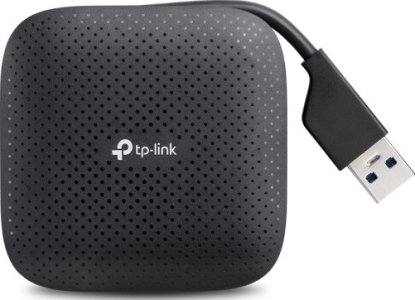
TP-Link USB 3.0 4-Port Portable Hub TL-UH400
Key Features of TP-Link USB 3.0 4-Port Portable Hub TL-UH400
-
Model: TL-UH400 / UH400
-
USB Standard: USB 3.0
-
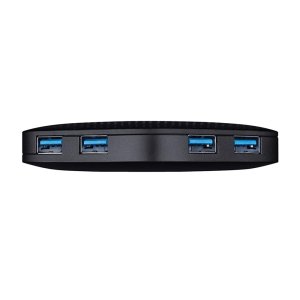
Output Ports: 4 × USB 3.0 Type-A
-
Input Interface: USB 3.0 Type-A
-
Maximum Data Transfer Speed: Up to 5Gbps
-
Backward Compatibility: USB 2.0 and USB 1.1
-
Installation: Plug and Play
-
Cable Design: Built-in foldable USB cable
-
Supported Operating Systems: Windows, macOS and Linux
-
Dimensions: 71 × 71 × 16.6mm
Overview of TP-Link USB 3.0 4-Port Portable Hub TL-UH400
The TP-Link USB 3.0 4-Port Portable Hub TL-UH400 is a compact connectivity accessory designed to expand a computer's available USB ports. It provides four USB 3.0 ports through a single USB Type-A connection, allowing users to connect peripherals such as keyboards, mice, flash drives, printers and compatible external storage devices. With data transfer speeds of up to 5Gbps, it supports efficient file transfers and everyday peripheral connectivity.
Designed for convenience and portability, the TP-Link TL-UH400 features a built-in foldable USB cable and a compact body that fits easily into a laptop bag or backpack. Its plug-and-play operation eliminates the need for additional driver installation on supported Windows, macOS and Linux systems. Backward compatibility with USB 2.0 and USB 1.1 devices also makes it suitable for users with a mixture of older and newer USB accessories.
Price of TP-Link USB 3.0 4-Port Portable Hub TL-UH400
|
Price Range |
|---|
|
KSh 1,800–2,200 |
Specifications of TP-Link USB 3.0 4-Port Portable Hub TL-UH400
|
Specification |
Details |
|---|---|
|
Brand |
TP-Link |
|
Model |
TL-UH400 / UH400 |
|
Product Type |
USB Hub |
|
USB Version |
USB 3.0 |
|
Number of Output Ports |
4 |
|
Output Interface |
4 × USB 3.0 Type-A |
|
Input Interface |
USB 3.0 Type-A |
|
Maximum Transfer Speed |
Up to 5Gbps |
|
Backward Compatibility |
USB 2.0 and USB 1.1 |
|
Installation |
Plug and Play |
|
Cable |
Built-in foldable USB cable |
|
Supported Systems |
Windows, macOS and Linux |
|
Dimensions |
71 × 71 × 16.6mm |
|
Power Connection |
USB bus-powered |
|
Package Contents |
USB hub, quick installation guide |
Connectivity Features of TP-Link USB 3.0 4-Port Portable Hub TL-UH400
-
Four Additional USB Ports: Expand a single USB Type-A connection into four ports, making it easier to connect multiple peripherals without repeatedly unplugging and reconnecting devices.
-
High-Speed Data Transfers: USB 3.0 supports transfer speeds of up to 5Gbps under suitable conditions, helping reduce waiting times when copying files between a computer and compatible storage devices.
-
Backward-Compatible Connections: Connect supported USB 2.0 and USB 1.1 accessories, allowing the hub to work with a variety of older peripherals as well as newer USB devices.
Design and Portability Features of TP-Link USB 3.0 4-Port Portable Hub TL-UH400
-
Compact Construction: Its small 71 × 71mm footprint makes it convenient for desktop setups, home offices and mobile workstations where desk space is limited.
-
Foldable Built-In Cable: The integrated cable folds into the hub's design for easier storage, helping reduce cable clutter when packing the accessory for travel.
-
Practical Everyday Use: The hub is suitable for laptop users who need extra USB connections for accessories such as a mouse, keyboard, USB flash drive or compatible printer.
Compatibility and Ease-of-Use Features of TP-Link USB 3.0 4-Port Portable Hub TL-UH400
-
Driver-Free Installation: Connect the hub to a compatible computer and begin using supported peripherals without installing separate drivers.
-
Broad Operating System Support: Compatibility with Windows, macOS and Linux makes it a practical choice for different computer environments.
-
Simple USB Expansion: The hub provides a straightforward way to manage several USB accessories from one host connection, with actual transfer speeds depending on the computer, connected devices and USB standards supported.
Pros and Cons of TP-Link USB 3.0 4-Port Portable Hub TL-UH400
|
Pros |
Cons |
|---|---|
|
Adds four USB 3.0 ports through one connection |
Uses a USB Type-A host connection |
|
Supports data transfer speeds of up to 5Gbps |
Actual speeds depend on connected devices and host capabilities |
|
Compatible with USB 2.0 and USB 1.1 devices |
Does not provide USB-C ports |
|
Plug-and-play operation on supported systems |
Does not provide dedicated video output or Ethernet connectivity |
|
Compact design with a foldable built-in cable |
Not intended to replace a powered hub for demanding peripherals |
|
Works with Windows, macOS and Linux |
Connected devices share the available upstream bandwidth |
Frequently Asked Questions About TP-Link USB 3.0 4-Port Portable Hub TL-UH400
1. What is the TP-Link USB 3.0 4-Port Portable Hub TL-UH400 used for?
The TP-Link TL-UH400 expands one USB Type-A port into four USB 3.0 ports, allowing you to connect multiple compatible peripherals to a computer.
2. What is the maximum transfer speed of TP-Link USB 3.0 4-Port Portable Hub TL-UH400?
It supports theoretical data transfer speeds of up to 5Gbps through USB 3.0. Actual performance depends on the computer, connected devices and other operating conditions.
3. Is TP-Link USB 3.0 4-Port Portable Hub TL-UH400 compatible with USB 2.0 devices?
Yes. The hub supports backward compatibility with USB 2.0 and USB 1.1 devices, although transfer speeds will depend on the USB standard supported by the connected device.
4. Does TP-Link USB 3.0 4-Port Portable Hub TL-UH400 require drivers?
No additional drivers are generally required on supported Windows, macOS and Linux systems. Simply connect the hub to a compatible USB port.
5. Can TP-Link USB 3.0 4-Port Portable Hub TL-UH400 connect four devices simultaneously?
Yes. It provides four downstream USB ports for connecting compatible devices at the same time. All connected devices share the bandwidth available through the single host connection.
6. Is TP-Link USB 3.0 4-Port Portable Hub TL-UH400 suitable for travel?
Yes. Its compact body and foldable built-in cable make it convenient to carry with a laptop for work, study or travel.
Conclusion on TP-Link USB 3.0 4-Port Portable Hub TL-UH400
The TP-Link USB 3.0 4-Port Portable Hub TL-UH400 is a practical solution for users who need additional USB connectivity without carrying a bulky accessory. Its four USB 3.0 ports, transfer speeds of up to 5Gbps, broad operating system compatibility and compact foldable-cable design make it useful for home, office and mobile computing setups
| Shipping Cost |
|
| Shop Location | Kenya |